A loud laptop fan might start as a soft hum during simple tasks, but it can gradually become a constant sound you notice every time you open your computer. In addition to being loud, your computer might also feel a little slow. What makes it even more frustrating is when this happens when you’re barely doing anything at all.
If that sounds familiar, there’s usually a reason. A loud fan typically means the system is working harder than it should to manage heat.
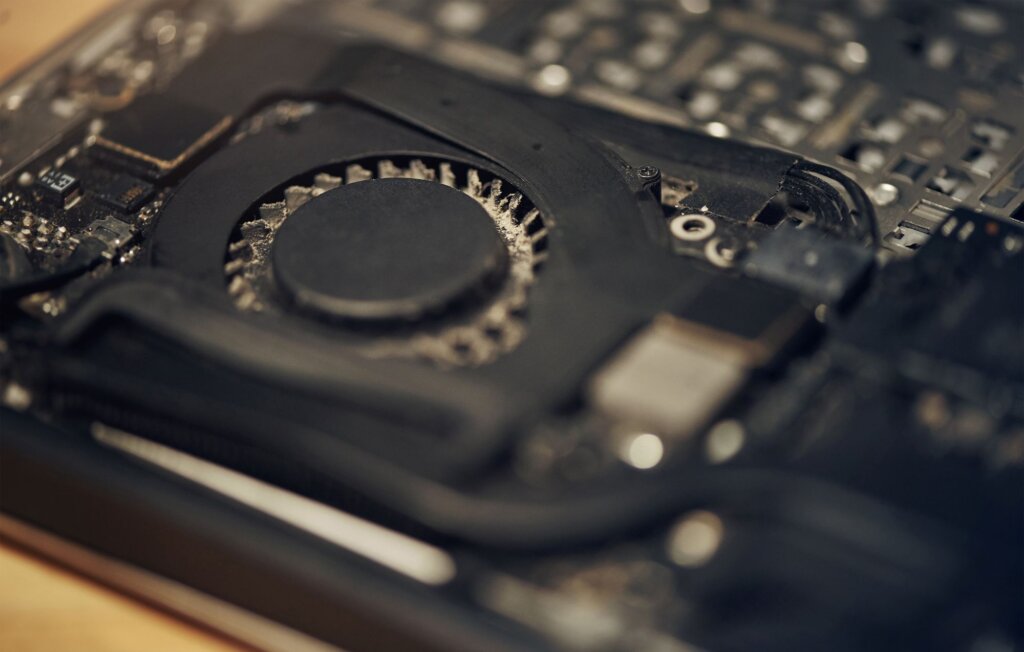
Your Laptop Fan Has One Main Job
The fan inside your laptop helps to keep the system from overheating. Even during everyday use, your computer creates heat. The fan helps move that heat out so internal components can keep working properly. When the fan starts running loudly and often, it usually means the laptop is trying to cool itself more aggressively. The main question to ask then is, “Why?”
Simple Tasks Don’t Always Equal Low Demand
One of the most common surprises for laptop owners is that basic use does not always mean light work behind the scenes. You might only have a browser open and still have a lot happening in the background.
Automatic updates, syncing services, startup programs, antivirus products, browser tabs, video calls, and other hidden background processes can all put more strain on the system than people realize. So even if your screen looks simple, your laptop could still be working hard underneath.
Dust and Blocked Airflow Affect Efficiency
A laptop needs proper airflow to stay cool. Over time, dust can build up inside vents and around the cooling system. If airflow becomes restricted, the fan has to work much harder to keep temperatures down.
The fan can also easily be obstructed on laptops that are used on soft surfaces like beds, blankets, or couches. When the vents are blocked, heat gets trapped more easily. That often leads to louder fan noise and a hot laptop.
Heat Builds Up Faster Than People Expect
Laptop design plays a role too. Because laptops are compact devices, heat has less room to escape than it does in larger desktop systems. That means even normal activity can cause noticeable fan noise if the system is older, warmer, or already under strain.
Warm rooms, direct sunlight, and long periods of use can all make the problem more noticeable. In some cases, the fan is not actually the issue; it’s simply reacting to the heat buildup.
Aging Hardware Can Add to the Problem
As laptops get older, they typically become less efficient. Components can run hotter, internal dust can build up, and performance may start to lag in ways that force the system to work harder. A battery issue, failing part, or worn cooling system can also contribute. This doesn’t always mean the whole laptop needs to be replaced, but it can mean it’s time to pay closer attention and/or consider replacing certain parts.
When a Loud Fan Is Worth Checking Out
If the fan gets loud occasionally, that isn’t necessarily a major concern. But if it runs loudly all the time, gets worse over time, or is paired with overheating, freezing, slow performance, or unexpected shutdowns, it’s probably worth having your laptop checked. A professional can help figure out whether the issue is simple maintenance, a software problem, or a sign of a deeper hardware concern.
Final Thoughts
A loud laptop fan is usually your computer’s way of telling you it is working harder than it should to stay cool. Sometimes that comes from dust or blocked airflow. Other times it points to background activity, heat buildup, or aging hardware.
The good news is that fan noise often starts as a warning sign. Noticing the change in performance can help you identify the problem and avoid bigger issues or computer failure.